# 9.如何用ChatGPT批量修改Word合同
这是零基础玩ChatGPT+Python——办公自动化的第9节:利用ChatGPT生成Python代码,批量修改Word合同。
**教程目的:** 初步掌握用ChatGPT批量操作Word文档,节省时间
**阅读对象**: 需要用ChatGPT提高工作效率、摆脱重复无聊工作、无Python基础、或Python入门者。
## <a id="i"></a>场景:
因公司名变动,由原来的“智云软件服务有限公司” 变更为 “起航科技网络技术有限公司”。
之前签好的50份合同,需要重新打印,签署。
**使用ChatGPT前:** 一个个修改Word合同中公司的名称。至少需要10分钟。
**使用ChatGPT后:** 写好提示词,让ChatGPT生成Python代码,批量修改公司名,不到1秒搞定。
## <a id="i-2"></a>一、软件准备
**1.1 ChatGPT账号。**
如果没有账号,可以直接使用葱因智能(每天签到可以免费用10次): <http://www.congyin-ai.com/#/login/register?code=c2Fpd2Vu>
**1.2 vscode:免费。** 参考安装教程: [http://yesaiwen.com/how-to-use-chatgpt-coding-python/](https://yesaiwen.com/how-to-use-chatgpt-coding-python)
## <a id="i-3"></a>二、素材准备
在下面的这个链接里,找到相应的素材地址,下载并解压:
[http://yesaiwen.com/chatgpt-python-resources/](https://yesaiwen.com/chatgpt-python-resources)
**练习素材内容:**
包含有50个Word合同
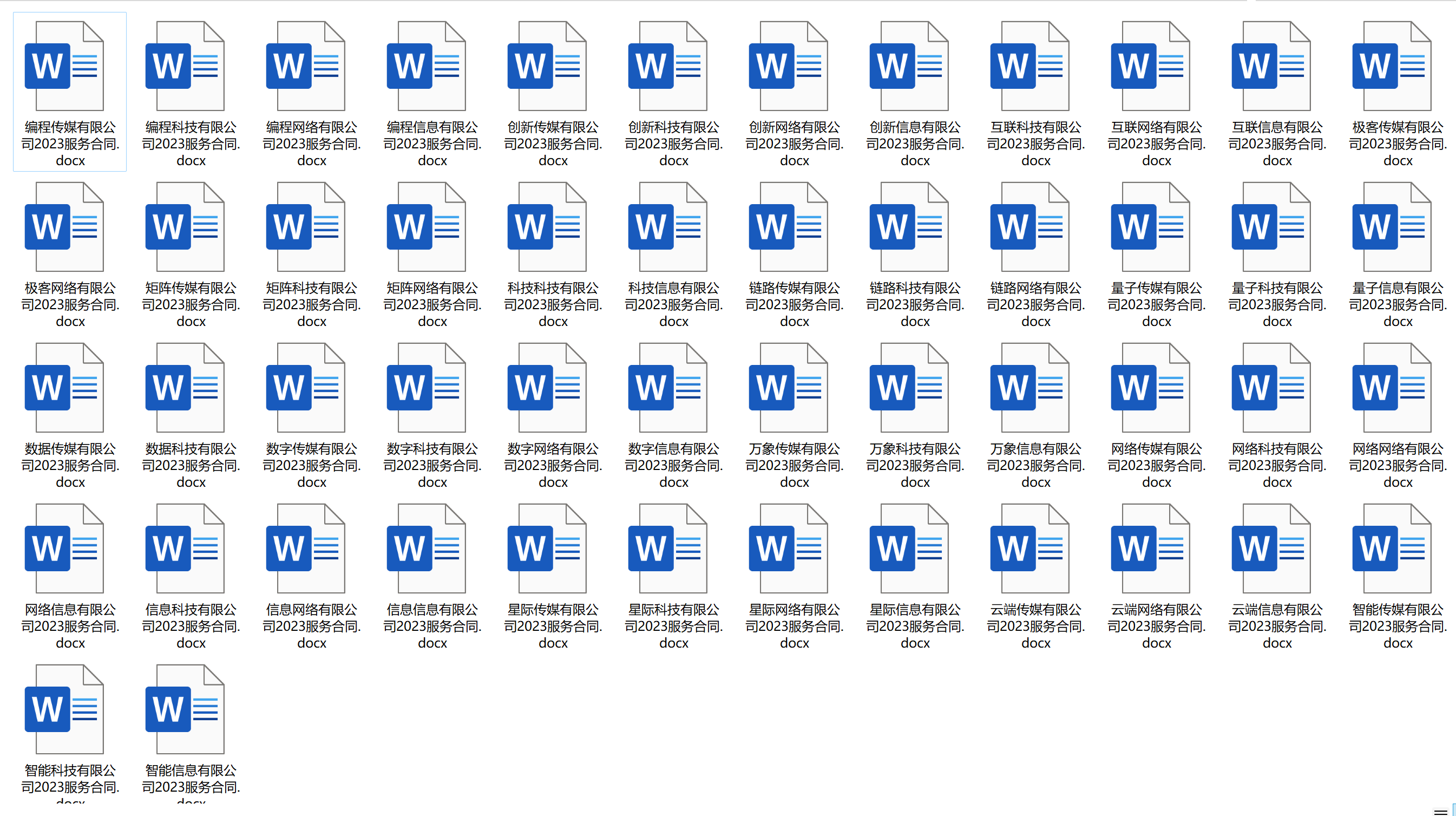
下载后,解压,获得文件夹的位置。例如:
50个合同所在的公司文件夹:`C:\Users\seven2024\Desktop\text\`
## <a id="i-4"></a>三、操作步骤
### <a id="i-5"></a>安装模块
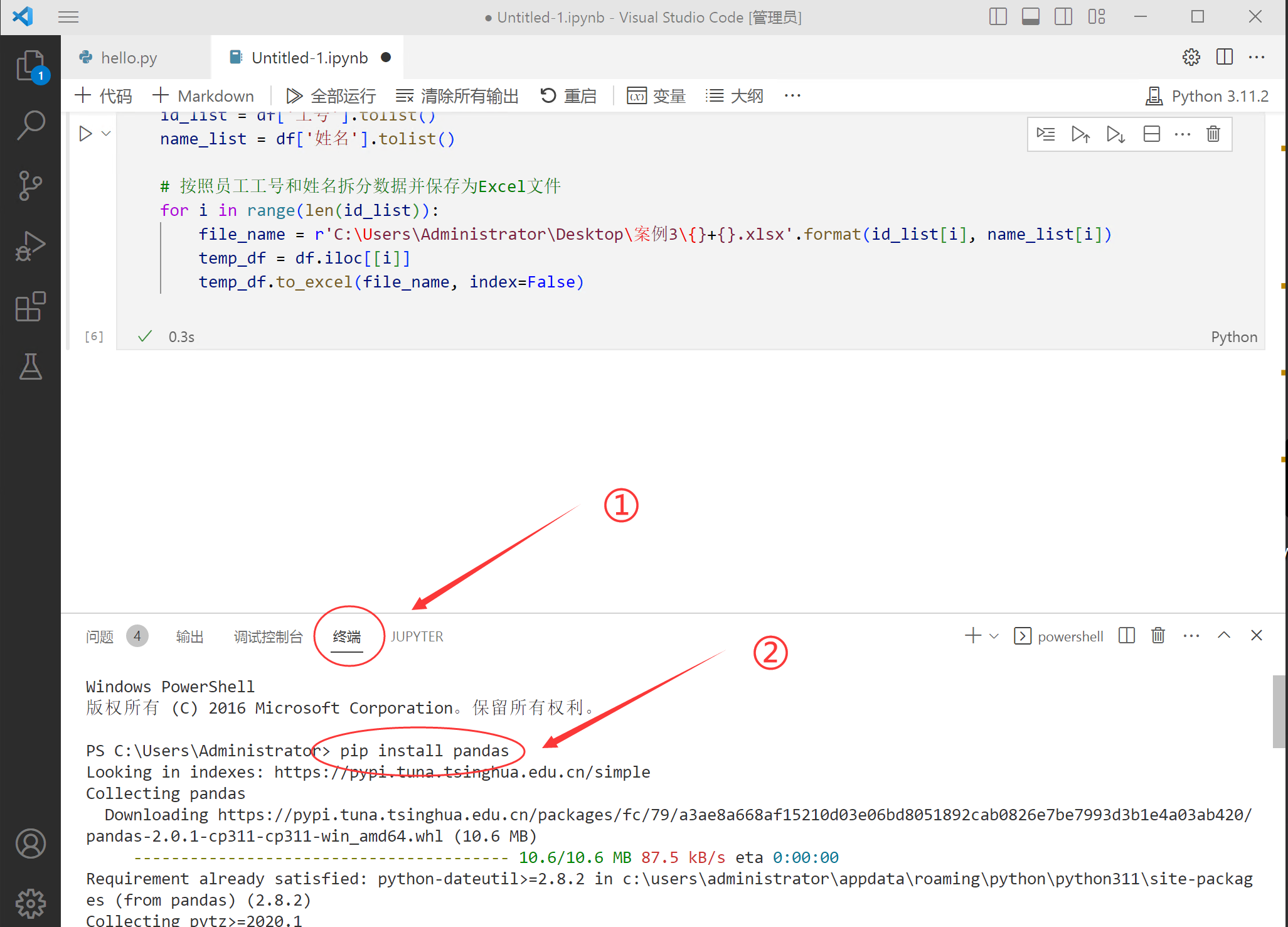
首先需要在vscode里,安装1个模块。 在vscode的终端里,输入这1个命令,后按回车:
```
pip install python-docx
```
### <a id="31ChatGPT"></a>3.1.打开ChatGPT,输入提示词
```
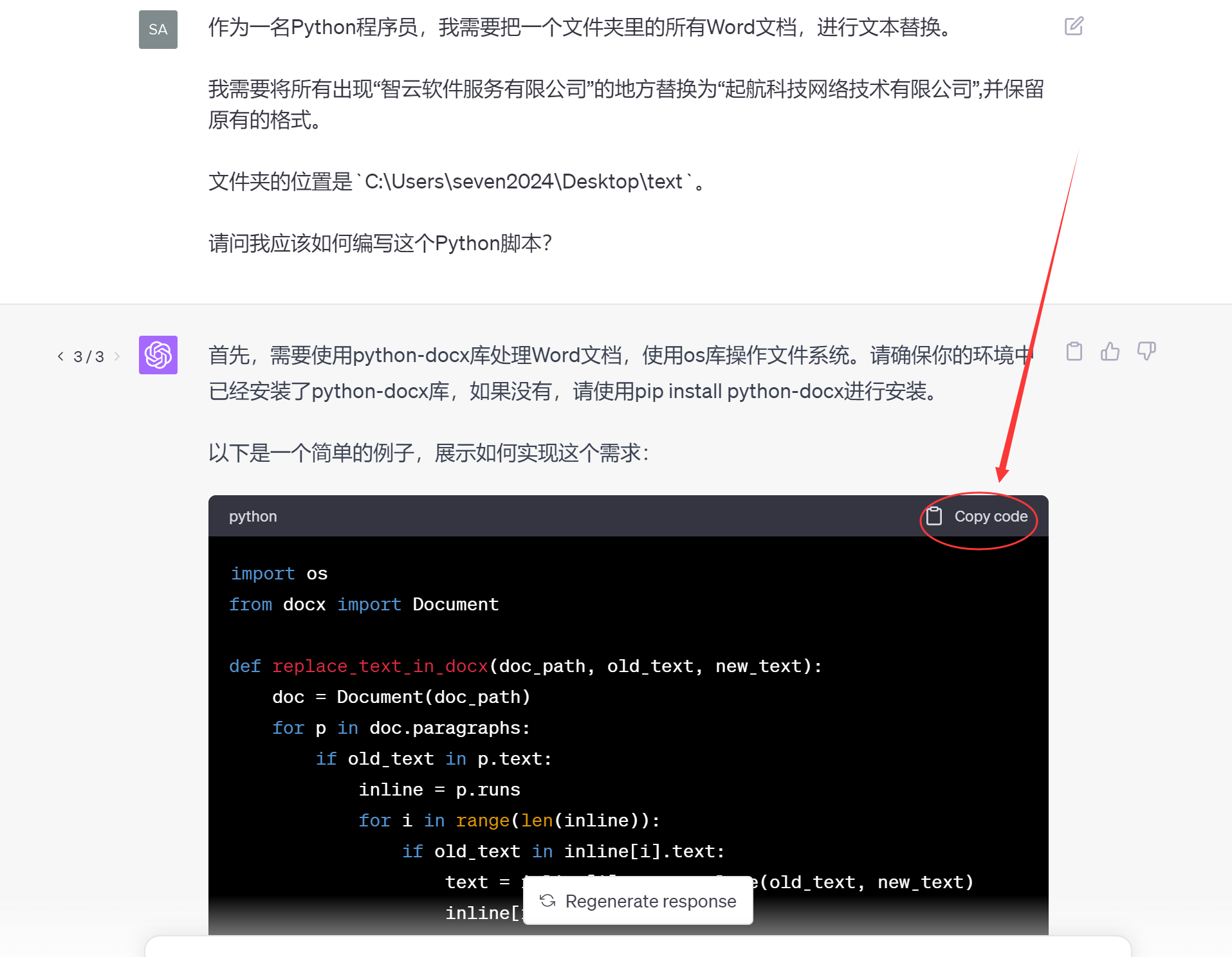
作为一名Python程序员,我需要把一个文件夹里的所有Word文档,进行文本替换。
我需要将所有出现“智云软件服务有限公司”的地方替换为“起航科技网络技术有限公司”,并保留原有的格式。
文件夹的位置是`C:\Users\seven2024\Desktop\text`。
请问我应该如何编写这个Python脚本?
```
这里用的是plus
### <a id="32vscode"></a>3.2.复制代码,并粘贴到vscode里
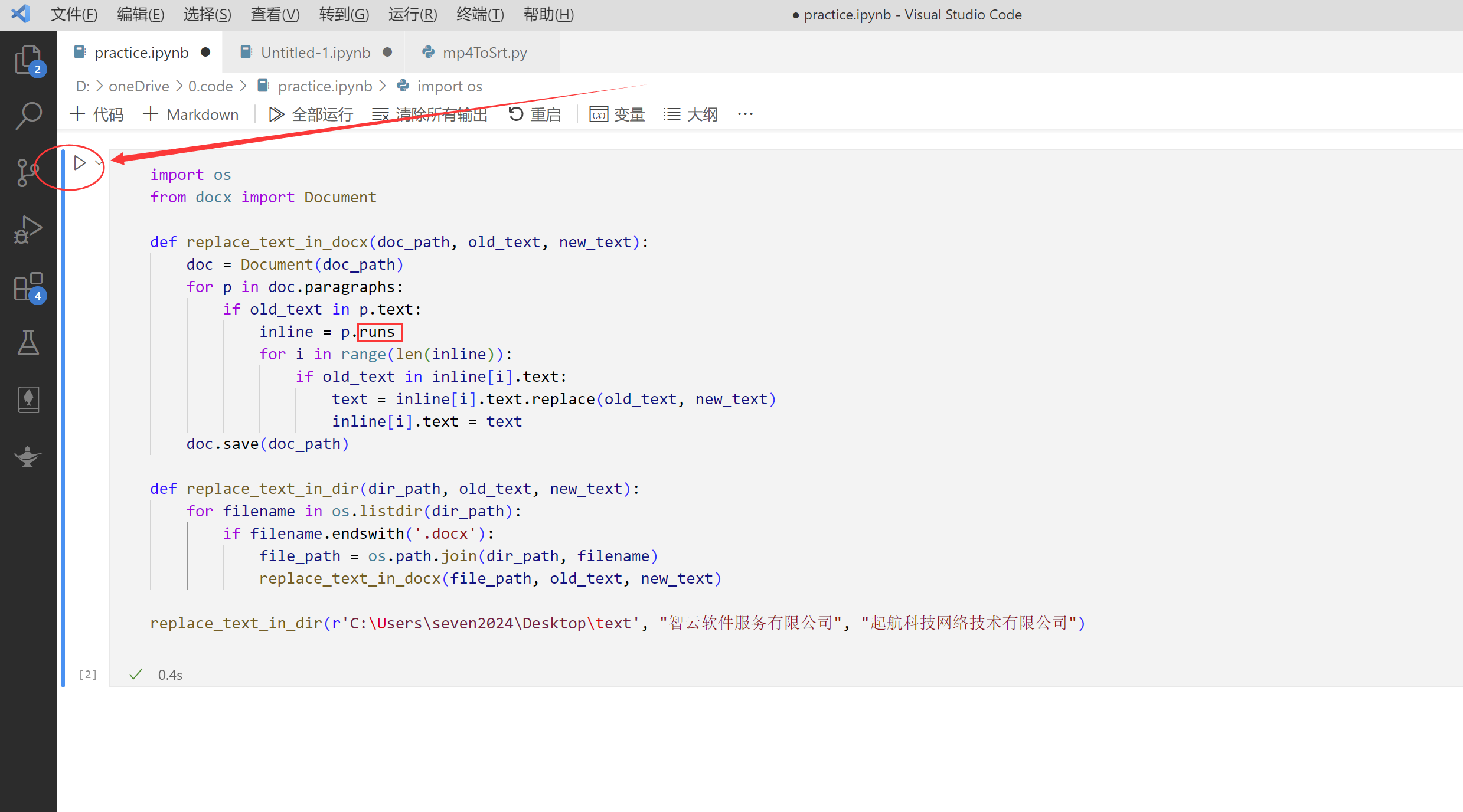
在vscode里,新建一个jupyter文件:
① 复制ChatGPT里给出的代码,粘贴到vscode里
② 点击“运行”
③ 当下面出现绿勾时,说明代码运行成功。
### <a id="33"></a>3.3 检查结果
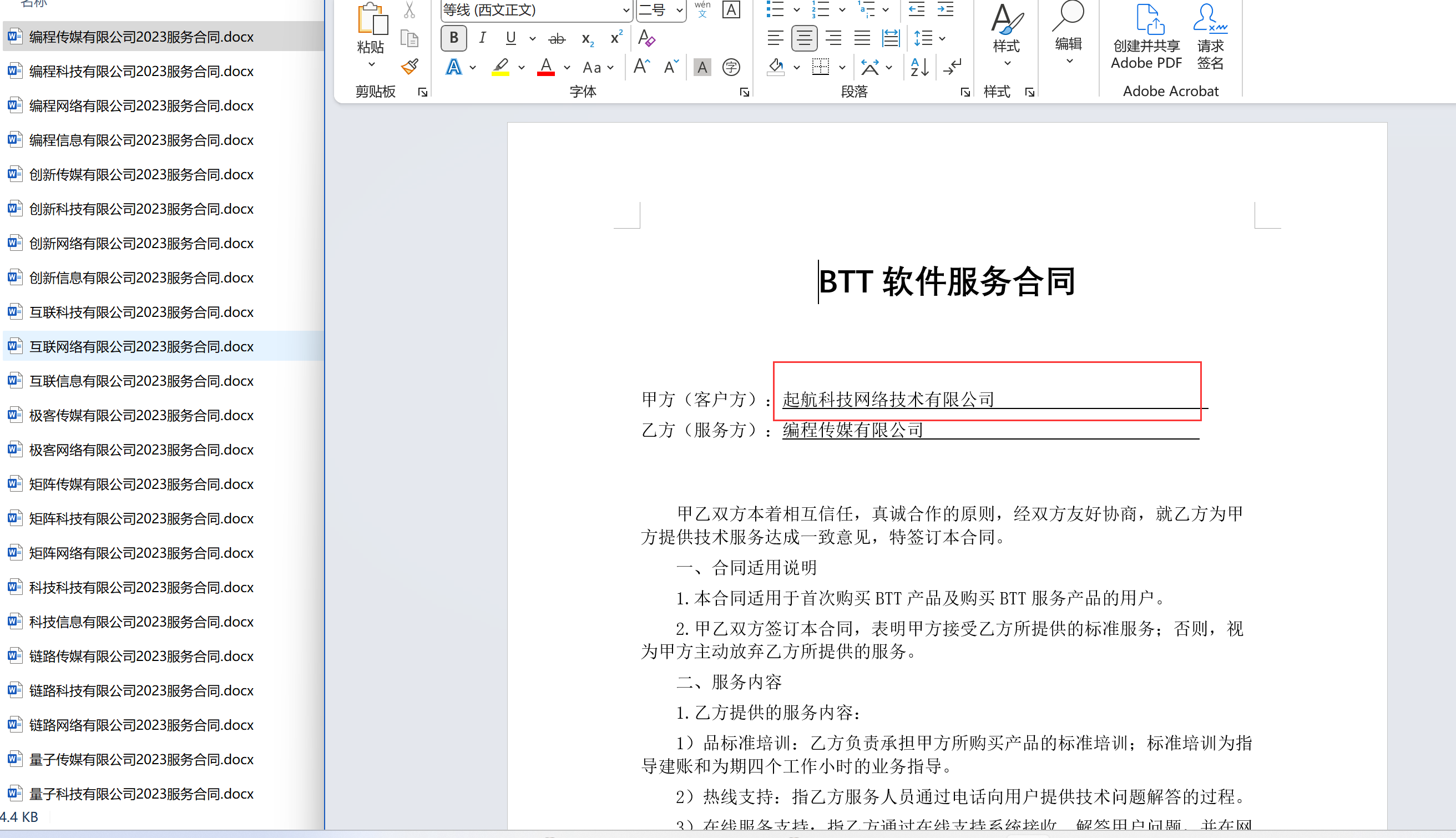
用时0.4秒,修改完了50个Word合同。
## <a id="i-6"></a>四、小结
通过这个案例,再一次体会到了“重新生成答案(regenerate response)”的妙处。
在前几次的操作里,公司的名称很容易替换。问题:公司名称下面的下划线,替换后就不见了。
然后又重新生成答案。 第三次生成的代码,才满足我的需求。
**经验:** 遇到不符合自己预期的答案,**多生成几次**。 让ChatGPT自己测试不同的方法。 它的方法挺多的,每次生成的代码都不一样。
参考代码:
```
import os
from docx import Document
def docx_replace(old_text, new_text, doc):
for p in doc.paragraphs:
if old_text in p.text:
inline = p.runs
# Loop added to work with runs (strings with same style)
for i in range(len(inline)):
if old_text in inline[i].text:
text = inline[i].text.replace(old_text, new_text)
inline[i].text = text
for table in doc.tables:
for row in table.rows:
for cell in row.cells:
docx_replace(old_text, new_text, cell)
# specify the path
path = 'C:\\Users\\seven2024\\Desktop\\text'
files = os.listdir(path)
word_files = [f for f in files if f.endswith((".docx", ".DOCX"))]
# replace texts
for word_file in word_files:
doc = Document(os.path.join(path, word_file))
docx_replace('智云软件服务有限公司', '起航科技网络技术有限公司', doc)
doc.save(os.path.join(path, word_file))
```